Payroll Automation: The 2026 Enterprise Guide for CHROs, CFOs, and Business Leaders
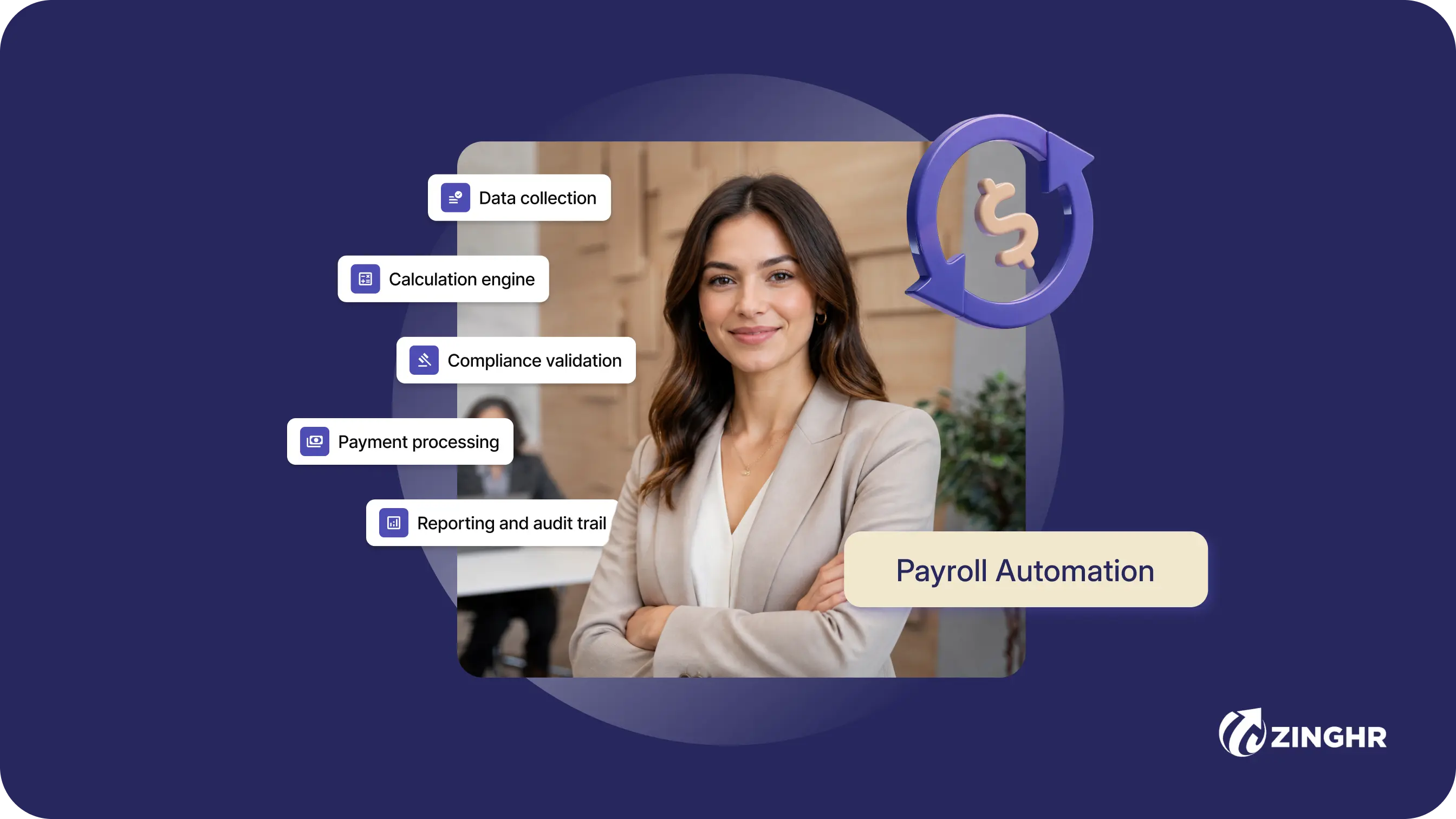
Table of contents
One unstitched HR platform to manage your entire workforce, from hire to rehire.
Talent Management solutions built for growing and exceptional people
Built-in compliance tools that update with changing regulations
Automated payroll, attendance, and leave management
Insights that help HR leaders make faster, better decisions

Key Takeaways
- Payroll automation uses software to calculate wages, withhold taxes, process direct deposits, and generate compliance reports, replacing manual spreadsheet work with algorithm-driven accuracy.
- Enterprise organisations (1,000+ employees) benefit most from automation due to multi-country compliance demands, complex salary structures, and the need for board-level workforce analytics.
- Measurable impact: Automated payroll reduces processing time from 5 to 20 hours down to under 2 hours per cycle and cuts error rates from 1 to 8% to below 0.1%, while lowering per-employee costs from $200 to $400 down to $50 to $150 annually.
- Compliance and security: Automated tax updates, audit-ready records, and encrypted cloud storage protect organisations from penalties, legal risks, and data breaches across jurisdictions.
- Implementation readiness: Organisations should evaluate payroll automation when manual errors, compliance risks, or delayed salary processing begin to affect workforce trust and operational efficiency.
- ZingHR's AI-powered Hire-to-Rehire platform delivers ZingZeroTAP, the zero-touch payroll engine, alongside Ghrowth.ai, its agentic intelligence engine, on one codebase and one database with 35+ in-house-built modules. Book a demo to see ZingZeroTAP in action.
Payroll now sits inside governance, compliance, and workforce-cost control. Despite this, many enterprises still run salary cycles through spreadsheets, email approvals, and disconnected tools.
In this context, ResearchAndMarkets estimates the HR payroll software market at USD 42.78 billion in 2026, with growth projected to be USD 62.64 billion by 2030, reflecting the rising demand for automation, compliance, and integrated workforce-cost control.
It is clear that enterprises are moving payroll automation into the same decision layer as finance, risk, and workforce planning.
For CHROs, CFOs, CIOs, and business leaders managing 1,000+ employees, manual payroll creates risk in every cycle. One missed tax update can lead to inaccurate filings. One delayed approval can affect salary disbursement. One disconnected system can leave leadership without reliable workforce-cost data.
This guide covers what payroll automation means, how it works, where manual payroll breaks down, which benefits and implementation challenges to expect, and what separates modern payroll systems from legacy tools.
Payroll Automation vs Manual Payroll: 2026 Comparison Summary
The table below quantifies the operational gap between manual and automated payroll across the metrics mattering most to enterprise decision-makers. Pair the comparison with ZingHR's enterprise HR software when evaluating where your organisation sits today.
Manual versus automated payroll compared across ten operational metrics for 2026 enterprise decision-makers.
How Did We Compile This Guide?
The guide draws on publicly available market research from Precedence Research, Ramco Systems, and Payslip's Global Payroll Agility Report, alongside data from the IRS and India's Income Tax Portal.
Each capability was evaluated against criteria mattering most to enterprise leaders: accuracy, compliance, scalability, security, and total cost of ownership.
The objective is to provide CHROs, CFOs, and finance leaders with a balanced, evidence-based resource at any stage of their automation journey.
What Is Payroll Automation?
Payroll automation is the process of using software to streamline payroll management by calculating salaries, withholding taxes, processing deductions, and distributing payments with minimal human intervention.
Rather than relying on spreadsheets and manual data entry, automated systems pull data directly from time-tracking, attendance, and leave management modules, apply predefined rules and formulas, and generate payslips, compliance filings, and audit records in a unified payroll management workflow.
Today, payroll automation extends well beyond basic wage calculation. Modern platforms such as ZingHR's unified HCM integrate payroll with the full employee lifecycle, transforming payroll management into a real-time workforce intelligence layer for CHROs and CXOs.
1. Salary Computation
Automates basic pay, overtime, incentives, bonuses, and deductions based on configurable pay structures spanning multiple pay groups and geographies.
2. Tax Processing
Updates tax slabs automatically to avoid calculation errors and statutory penalties across central and state jurisdictions.
3. Payslip Generation
Creates digital payslips employees can access and download through self-service portals at any time, removing dependency on HR for routine document retrieval.
4. Direct Bank Transfer
Ensures timely salary deposits directly into employee bank accounts, eliminating payment delays and the manual reconciliation work fragmented systems demand.
5. Record-Keeping and Reporting
Provides board-level insights into payroll expenses, compliance status, and workforce costs, surfaced through dashboards finance and HR leaders use in the same review cycle.
6. Time and Attendance Tracking
Integrates with biometric devices, face recognition systems, and attendance software to capture working hours, overtime, and late arrivals accurately.
7. Leave Management
Tracks employee leave balances, approvals, and allowances, automatically adjusting salary based on leave policies and statutory entitlements.
8. Regulatory Compliance
Handles statutory contributions like PF, ESI, TDS (India), WPS (UAE and GCC countries), and multi-country tax obligations without manual rule configuration.
.webp)
How Does Payroll Automation Work?
Payroll automation follows a structured five-step workflow eliminating manual touchpoints at each stage:
- Data collection: The system automatically imports employee data, hours worked, overtime, leave taken, and variable pay inputs, from integrated time-tracking and HRMS modules.
- Calculation engine: Predefined rules compute gross pay, apply tax tables, deduct benefits and statutory contributions, and calculate net pay for every employee simultaneously.
- Compliance validation: The system cross-references calculations against current tax laws and labour regulations, flagging anomalies before payment processing.
- Payment processing: Approved payroll triggers direct bank transfers or payment file generation for batch processing.
- Reporting and audit trail: Every transaction, approval, and change is logged with timestamps and user attribution, generating audit-ready records and real-time dashboards for finance and HR leadership.
The end-to-end workflow is what organisations pursuing digital HR transformation need to move payroll from a cost centre to a strategic asset.
Traditional Payroll vs Automated Payroll: A Detailed Comparison
The difference between traditional and automated payroll is comparable to handwritten ledgers versus enterprise resource planning. Each approach aims to pay employees on time, but the process, cost, accuracy, and strategic value differ fundamentally.
For enterprises evaluating an HR tech rehaul, the seven dimensions below clarify the operational and strategic gap. Use ZingHR's HR software to anchor the comparison against your current state.
The summary table below provides a quick side-by-side view of the key differences before we examine each area in detail.
Comparing traditional and automated payroll across seven key areas
1. Process
- Traditional: Manual data entry using spreadsheets and paperwork. HR staff collect timesheets, verify attendance records, and key in calculations for each employee individually.
- Automated: The system pulls data directly from time-tracking modules and applies built-in formulas to calculate salaries, deductions, and net pay instantly, across the entire workforce.
2. Cost
- Traditional: Higher HR and administrative costs due to manual work, repeated corrections, overtime for payroll staff, and dependency on individual knowledge.
- Automated: Requires payroll software investment, but reduces long-term costs significantly by eliminating rework, minimising errors, and freeing HR capacity for strategic activities.
3. Accuracy
- Traditional: Human errors are common in salary calculations, tax deductions, and benefit allocations. According to the IRS, manual payroll has a human error rate of around 8%, meaning eight employees out of a hundred may receive incorrect paychecks.
- Automated: Predefined rules integrated with employee data ensure error-free calculations every cycle. Error rates drop below 0.1%.
4. Compliance
- Traditional: HR teams must manually track and update tax laws, labour regulations, and statutory deductions. The approach scales poorly and increases compliance risk as the workforce grows or expands across geographies.
- Automated: The system automatically updates compliance requirements as per local labour laws (PF, ESI, TDS, WPS, and equivalents in other jurisdictions), reducing penalty risks significantly.
5. Audit and Reporting
- Traditional: Preparing audit reports manually is time-consuming and prone to missing records. Reconstructing a full audit trail after the fact is often impossible.
- Automated: Every transaction is digitally stored, enabling instant report generation in any format and providing clear audit trails for regulatory reviews and board reporting.
6. Scalability
- Traditional: Difficult to manage payroll across multiple locations, pay structures, or currencies without proportional increases in staff.
- Automated: Handles workforce growth, multiple geographies, and complex salary structures without additional headcount. The scalability is especially valuable for enterprises evaluating best-in-class HR tech systems to support expansion.
7. Employee Experience
- Traditional: Employees depend on HR for payslips, leave balances, tax details, and corrections, creating bottlenecks and friction.
- Automated: Self-service portals allow employees to access payslips, tax information, and leave balances anytime and anywhere, improving transparency and satisfaction.
Challenges in Payroll Management Without Automation
Before implementing automation, enterprise leaders need to understand the specific risks manual payroll creates. The challenges below are the daily reality for the 40.5% of organisations Payslip identified as taking more than five days to process a cycle. Pair each challenge with ZingHR's payroll automation capabilities to map remediation steps.
1. Calculation Errors
Even the most diligent HR professionals make mistakes when handling complex calculations manually. Manual payroll increases the chances of human error in salary processing across several dimensions. Hours go into calculating salaries, allowances, and deductions for each employee individually.
Formula errors or data entry mistakes cause inaccurate payouts. HR teams fail to track all hours, report all compensation components, or apply correct overtime rates. Hourly rates, shift differentials, and tax deduction amounts get applied incorrectly.
For enterprises with thousands of employees across multiple pay structures, these errors compound rapidly and become board-level financial risks.
2. Delayed Salary Processing
When payroll is handled on spreadsheets or paper, every cycle requires significant time to collect timesheets, verify data, calculate payments, and prepare payroll reports. The sequential dependencies mean a single bottleneck, a missing approval or an absent payroll officer, can delay the entire disbursement. Late payments directly erode employee trust and, in many jurisdictions, trigger statutory penalties.
3. Compliance Errors and Penalty Risk
Keeping pace with changing labour laws and tax updates manually is nearly impossible, especially for organisations operating across multiple states or countries. Manual errors in statutory contributions, tax withholdings, or filing deadlines can attract penalties, fines, or legal consequences.
As compliance complexity grows, automation becomes the only reliable safeguard.
4. Lack of Transparency
Without payroll software, employees have limited access to historical payslips. They cannot clearly understand how their pay was calculated, verify tax statements, or check deduction details without contacting HR. The opacity creates unnecessary queries, reduces trust, and increases the administrative burden on HR teams.
5. High Operational Costs
Manual payroll processing requires dedicated HR staff and extended working hours. As the workforce grows, the workload multiplies, and so do costs.
Organisations considering payroll outsourcing as an interim solution often find full automation delivers better long-term ROI by eliminating repetitive tasks and enabling HR leaders to focus on strategic activities.
6. Scalability Ceiling
Manual payroll creates a hard ceiling on growth. Adding a new geography, currency, or regulatory jurisdiction means rebuilding spreadsheets, retraining staff, and accepting a higher error rate during the transition.
For fast-growing enterprises or organisations pursuing mergers and acquisitions, the scalability limitation is a strategic constraint automation resolves.
How to Automate Payroll in Your Business
Organisations should evaluate payroll automation software when any of the following conditions apply. Manual payroll processes produce recurring errors, tax compliance issues, or disorganised employee records. Employee strength reaches 150 to 200 or more, at which point manual payroll becomes unsustainable. The financial year-end or the start of a new budget cycle presents a natural transition point.
Expansion into new geographies or jurisdictions introduces multi-country compliance requirements. Use ZingHR's HR Software implementation framework as a reference for what mature automation looks like at scale.
Step 1: Understand Your Needs
The first step is to assess the specific challenges in your current payroll process. Document every step from time collection to payment processing. Map out approval workflows, data handoffs, and manual touchpoints. Identify recurring errors, delays in salary disbursement, and compliance risk areas.
Consider company size, growth trajectory, complexity of pay structures, and multi-geography requirements. The assessment clarifies what specific features and capabilities you need in an automated system and prevents purchasing a solution misaligned with your operational reality.
Step 2: Choose the Right Payroll Software
Research payroll automation solutions based on your needs assessment. Evaluate software against your company's size, industry, and regulatory environment. The platform should offer time and attendance integration, leave management, tax compliance, employee self-service portals, and comprehensive reporting.
Prioritise cloud-based payroll platforms providing anywhere access, automatic updates, and reduced IT overhead.
For enterprise organisations with 1,000+ employees, ZingHR's ZingZeroTAP, the zero-touch payroll engine, delivers end-to-end automation with built-in multi-state compliance, real-time reconciliation across every pay structure, and board-level workforce dashboards through Ghrowth.ai, its agentic intelligence engine.
Step 3: Integrate with Existing Systems
Connect your payroll platform with time-tracking, attendance, leave management, benefits administration, and accounting systems. Native integration eliminates duplicate data entry, locks in a single source of truth, and powers the real-time data flow driving accurate payroll calculations.
Step 4: Migrate and Validate Data
Transfer employee records, pay structures, tax configurations, and historical payroll data to the new system. Run parallel payroll cycles, processing through the old and new systems simultaneously, to validate accuracy before fully transitioning.
Step 5: Train HR Teams and Employees
Develop comprehensive training programmes for administrators and employees. Create training materials, video tutorials, and quick reference guides. HR teams need to understand system administration, report generation, compliance workflows, and troubleshooting. Employees need orientation on self-service portals for accessing payslips, tax documents, and leave balances.
Step 6: Monitor, Optimise, and Scale
Automation runs as a continuous discipline beyond the initial deployment. Establish KPIs covering processing time, error rates, compliance adherence, and employee satisfaction scores, and review them quarterly. Use proactive analytics to identify overtime trends, tax liability shifts, and process bottlenecks.
As your organisation grows or enters new markets, scale the system to accommodate additional geographies, currencies, and regulatory requirements without rebuilding processes.
Benefits of Payroll Automation Software
Automation delivers a quantifiable shift across cost, accuracy, intelligence, compliance, employee experience, and security. The six benefits below cluster around the outcomes CHROs and CFOs use to justify the investment. Pair the benefits with ZingHR's AI capabilities to see what is achievable with Ghrowth.ai's command-centre view.
1. Cost Efficiency and Long-Term ROI
Where adding payroll staff or fully outsourcing payroll creates ongoing monthly costs, automation typically requires a one-time setup cost or a predictable subscription fee.
The comparison is straightforward: manual payroll costs $200 to $400 per employee annually, while automated payroll costs $50 to $150. For an enterprise with 5,000 employees, the difference represents $250,000 to $1.25 million in annual savings, before accounting for reduced rework, fewer penalties, and freed HR capacity.
2. Accuracy and Error Reduction
According to the IRS, manual payroll has a human error rate of approximately 8%, meaning eight out of every hundred employees may receive incorrect paychecks due to mistakes in calculations, data entry, or compliance updates.
Automated systems apply precise algorithms to wage calculations, tax brackets, overtime, and deductions, reducing error rates to below 0.1%. Beyond accuracy, these systems generate detailed reports helping leadership understand payroll expenses, identify cost-saving opportunities, and make data-driven decisions.
3. Real-Time Data and Proactive Analytics
Modern payroll automation provides employees and HR teams with instant access to real-time payroll data, salary breakdowns, deductions, benefits, and tax details, without delays or manual queries. The transparency reduces confusion, minimises back-and-forth, and builds trust in the payroll process.
More importantly, advanced systems identify trends like overtime patterns, tax liability shifts, and compliance risks well in advance, enabling proactive decisions, improving financial planning and reducing exposure.
4. Compliance Assurance and Audit Readiness
Automated payroll systems apply current tax tables automatically, enforce local payslip formats, and retain audit-ready records, reducing the risk of costly tax penalties and compliance violations. Every transaction, approval, and modification is digitally logged with timestamps and user attribution, creating a complete audit trail. For enterprises operating across multiple jurisdictions, the capability is a requirement for regulatory survival.
5. Employee Satisfaction and Self-Service
Employees frequently become frustrated with unexplained salary deductions or opaque calculations. Payroll automation removes the friction by delivering error-free, on-time payments and giving employees direct access to their payslips, tax documents, and leave balances through self-service portals.
The shift from a black-box process to a transparent, employee-controlled experience improves satisfaction, reduces HR tickets, and keeps employee data current, creating a virtuous cycle of accuracy and engagement.
6. Security and Data Protection
Payroll data is among the most sensitive information an organisation handles. Automated payroll platforms use encryption, role-based access controls, and secure cloud storage to protect employee information and financial records.
Compared to paper-based or spreadsheet-dependent approaches, automated systems provide a measurably higher level of data security, an essential consideration for organisations subject to GDPR, India's Digital Personal Data Protection Act, or similar data privacy regulations.
.webp)
Key Features of Modern Payroll Automation Software
When evaluating payroll automation platforms, eight capabilities separate strategic platforms from transactional tools. Each feature directly addresses one of the failure modes that spreadsheets and fragmented systems create. Pair the evaluation with ZingHR's unified Hire-to-ReHire architecture, built on one codebase and one database.
1. Error-Free Salary Calculations
The platform should handle complex salary structures automatically, base pay, variable components, overtime, shift differentials, bonuses, and allowances, across multiple pay groups and geographies. Calculation engines must apply configurable rules consistently, eliminating the manual formula management causing the majority of payroll errors.
2. Automated Tax Filing and Compliance Updates
Tax compliance is the single highest-risk area in payroll. The system must automatically apply current tax tables, compute statutory contributions (PF, ESI, TDS, WPS, or equivalents), and generate filing-ready documents. For enterprises operating in regulated industries like healthcare, financial services, and manufacturing, real-time compliance updates are non-negotiable.
3. Cloud-Based Access and Security
Cloud deployment lets payroll data be accessed securely from any location, supports remote and hybrid workforces, and removes the infrastructure overhead of on-premises systems. Look for platforms with enterprise-grade encryption, role-based access controls, SOC 2 compliance, and automated backup protocols.
4. Employee Self-Service Portal
Self-service functionality allows employees to view and download payslips, update personal information, check leave balances, and access tax documents without HR intervention. The capability reduces administrative queries by a significant margin and keeps employee records current, improving satisfaction and data accuracy.
5. Multi-Country and Multi-Currency Payroll
For enterprises with global or multi-state workforces, the platform must handle multiple currencies, local tax laws, and jurisdiction-specific compliance requirements within a unified system. The capability eliminates the need to maintain separate payroll processes for each geography and provides consolidated reporting for board-level visibility.
6. Reporting, Analytics, and Board-Level Dashboards
Advanced reporting goes beyond standard payroll summaries. Modern platforms provide real-time dashboards covering payroll costs, workforce trends, compliance status, and variance analysis. These insights give CFOs and CHROs the data for informed decisions about headcount planning, cost optimisation, and risk management.
7. Full and Final Settlement Automation
Automated exit processing calculates pending dues, leave encashment, gratuity, and final pay for departing employees based on company policy and statutory requirements. The capability removes one of the most error-prone manual payroll tasks and locks in regulatory compliance during offboarding.
8. Early-Warning and Anomaly Detection
Intelligent payroll platforms flag potential errors, missing attendance records, unusual overtime patterns, and compliance deadline risks, before they affect pay runs. The proactive capability prevents corrections, reduces rework, and protects the organisation from downstream penalties.
Why Enterprises Choose ZingHR for Payroll Automation
Where traditional payroll solutions treat payroll as an isolated transaction, ZingHR unifies HCM with Ghrowth.ai, its agentic intelligence engine, giving boards and CXOs a single command centre for real-time workforce intelligence, compliance, and business execution.
The architecture sits on one codebase and one database with 35+ in-house-built modules and 12 purpose-built vertical solutions, the structural distinction separating ZingHR from stitched-together suites built from acquisitions.
- ZingZeroTAP, the zero-touch payroll engine: Anchors the offering. The engine handles real-time reconciliation across every pay structure, location, and currency the enterprise operates in. Every month. Every country. The result is a payroll function running itself, freeing the HR team to focus on strategy.
- Ghrowth.ai, its agentic intelligence engine: Surfaces payroll intelligence for the CFO, CHRO, and CEO views simultaneously. The CFO sees payroll cost trends, compliance exposure, and variance against budget. The CHRO sees workforce intelligence, attrition cost, and compensation equity. The CEO sees a consolidated governance posture across business units, all from the same source of truth.
- Unified Hire-to-Retire architecture: Integrates payroll with onboarding, attendance tracking, performance management, and exit processing, drawing every calculation from a single source of truth with no manual reconciliation.
- Native multi-state and multi-country compliance: Updates propagate automatically across all jurisdictions, with statutory engines handling PF, ESI, TDS, WPS, and equivalents in regulated markets.
- 12 purpose-built vertical solutions: Cover retail, BFSI, manufacturing, pharma, healthcare, IT and ITeS, hospitals, education, logistics, energy, and conglomerates, with payroll configurations tuned to each sector's pay structures.
ISS, one of ZingHR's enterprise customers in facility services and shared services, captured the operational dividend of consolidating onto the platform: the ability to manage complex workforce operations across geographies with proactive support and a focus on operational outcomes.
For enterprises evaluating fragmented spreadsheets against a unified, AI-powered platform, the architectural choice directly affects payroll accuracy, compliance posture, and HR capacity for strategic work.
ZingHR currently serves 1,200+ enterprises across Fortune 500s with 2.8 million active users globally.
Move Payroll into a Strategic Asset for the Enterprise
Payroll automation has crossed from operational improvement to enterprise infrastructure. In 2026, with cloud-based payroll markets doubling within a decade, multi-jurisdiction compliance demands compounding, and employee expectations around transparency rising, organisations clinging to manual payroll are absorbing risk and cost their boards have already flagged as avoidable.
Unified, AI-powered platforms with zero-touch payroll engines, automated statutory filing, and role-specific command centres reclaim HR capacity, raise compliance posture to audit-ready standards, and convert payroll data into board-grade workforce intelligence.
To see how ZingHR's Hire-to-ReHire platform, ZingZeroTAP, and Ghrowth.ai work together for your enterprise, book a demo with ZingHR.
Frequently asked questions (FAQs)
Automate payroll to eliminate manual spreadsheet errors and guarantee compliance. Integrated software automatically calculates wages, tax deductions, and direct deposits. Deploy employee self-service portals to provide direct access to payslips and leave balances. This removes HR bottlenecks and ensures accurate payments.
Automate payroll to free capacity for strategic workforce planning and talent acquisition. Automation cuts processing from 5–20 hours to under two hours. It eliminates manual effort by handling variable pay imports, multi-location tax calculations, and accounting reconciliations.
Automate payroll to eliminate tax penalties across multiple jurisdictions. Systems automatically apply current tax tables and enforce local payslip formats. They track every change with timestamped, audit-ready records. This removes manual cross-checks and ensures calculations instantly reflect new regulations.
Automate payroll to eliminate manual errors and expensive rework. Algorithms precisely calculate wages and taxes, dropping the 8% manual error rate to under 0.1%. Removing human data entry prevents incorrect pay, employee grievances, and compliance fines.
Select scalable, cloud-based platforms with enterprise-grade security (SOC 2, encryption, role-based access). Core features must include automatic wage calculations, tax withholding, direct deposits, and HR integrations. Demand modern capabilities like self-service portals, anomaly detection, and multi-country support.
Automate payroll to accelerate ROI as your enterprise scales. Manual processing costs $200–$400 per employee annually. Automation drops this to $50–$150. It mitigates severe compliance risks, removes reliance on individual staff, and prevents violations that exceed software subscription fees.
What to do next?
See ZingHR in Action
Join the 1,200+ enterprises that have replaced fragmented HR with one intelligent, future-ready platform. See ZingHR in 30 minutes.
Build the Organization You Want
Great HR drives retention, capability, and culture. ZingHR takes care of the operational layer so your people team owns the strategy.

Elevating Impact.
Defining Destiny
See how ZingHR's AI-powered Hire-to-ReHire platform frees your CPO to lead with purpose and deliver the outcomes your Board is watching for


ZingHR is the AI-powered Hire-to-ReHire platform built for one purpose to remove every transactional layer of HR from your organisation, permanently.